
At Magenta Health, we believe finding the information you need and accessing the right services should be a straightforward part of managing your care. Whether you're booking an appointment, renewing a prescription, or checking your clinic's hours, knowing exactly where to go can make the process much easier.
In our recent patient feedback survey, we asked patients about their experience using the Magenta Health website. While many told us they found it easy to access the information they needed, others sometimes had a harder time finding their way around.
As part of our <Better Care/> campaign, we're actively working to make navigating care easier and more accessible for our patients — and the Digital Front Door (DFD) is one of the tools helping us do that.
This guide walks you through accessing the DFD, using its search features, and finding the information and services you're looking for.
-
The Digital Front Door (DFD) is your physician's homepage — a custom-built patient portal developed with support from Ontario Health funding.
It’s a central place to find information, get answers to common questions, and access services online, including appointment booking and guidance on the right care options for your needs.
Instead of waiting on hold or visiting the clinic, you can use the DFD's intuitive search features to quickly get pointed in the right direction.
The DFD is tailored to your physician's practice, with information and search options chosen to reflect the services and resources available to you. New content and search terms will continue to be added over time.
It's a quicker, more convenient way to get where you need to go, and just one of the many benefits of being a Magenta Health patient. Learn why patients choose us for their primary care here.
-
Accessing the Digital Front Door takes just a few steps through our website. Here's how to get there:
Visit the Magenta Health website.
Click on “Appointments & Info”.
Enter your OHIP number when prompted.
You'll be directed to the personalized Digital Front Door.
Once you're there, bookmark the page! This will make it easier to access the DFD the next time you need it, so you can quickly find the information and services you're looking for.
HOW TO USE THE DIGITAL FRONT DOOR
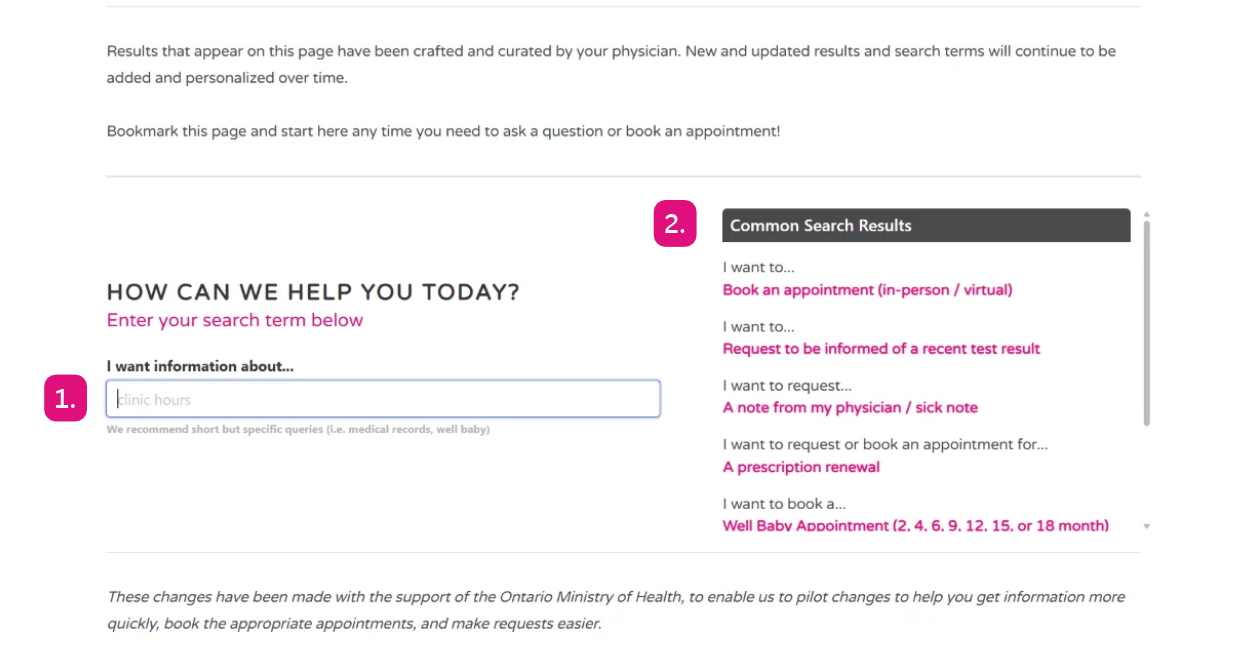
Start by entering a word or phrase related to your request in the search bar (1). You'll then see suggested results and common search pathways based on your search (2).
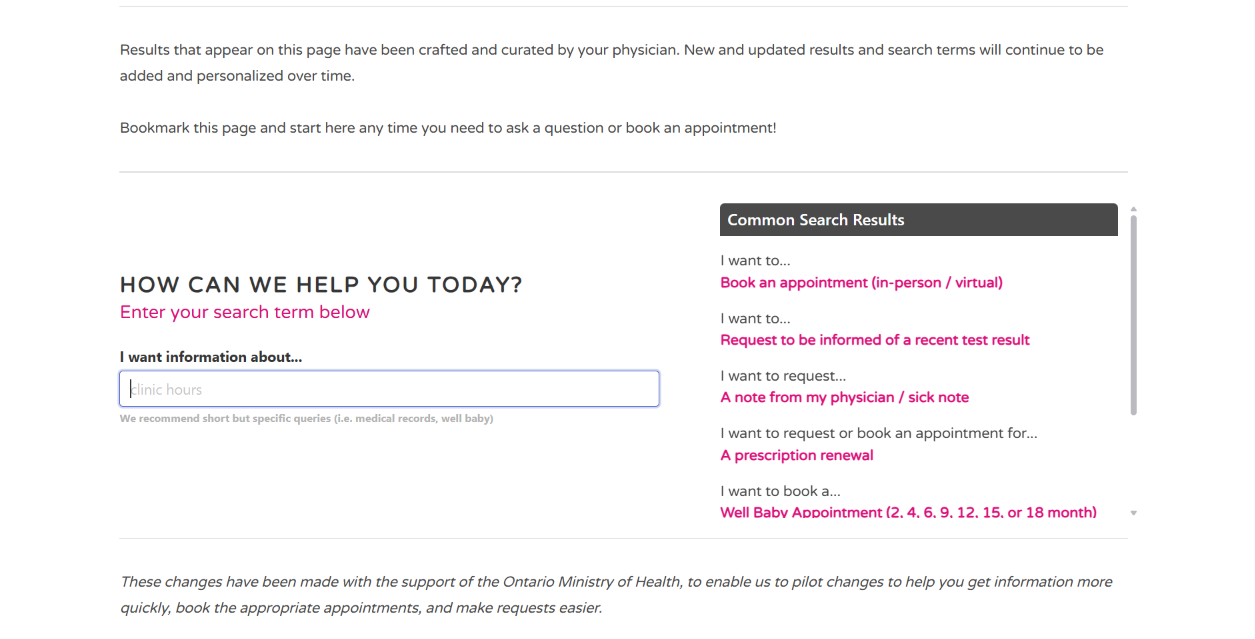
When you access the DFD, you'll see the question "How can we help you today?" along with a search bar where you can enter what you need.
Then, type a word or phrase related to your request, and relevant results will appear. We recommend using short but specific search terms (e.g., medical records, well baby).
The DFD will suggest pathways related to your search. For example, if you're looking for a sick note, you may see a suggested result such as "I want to request... A note from my physician / sick note”. Clicking on a result will guide you through the next steps for your request.
Depending on what you're looking for, the options available may vary. Some pathways will give you the option to send our team a message, while others will direct you to book an appointment or take another action.
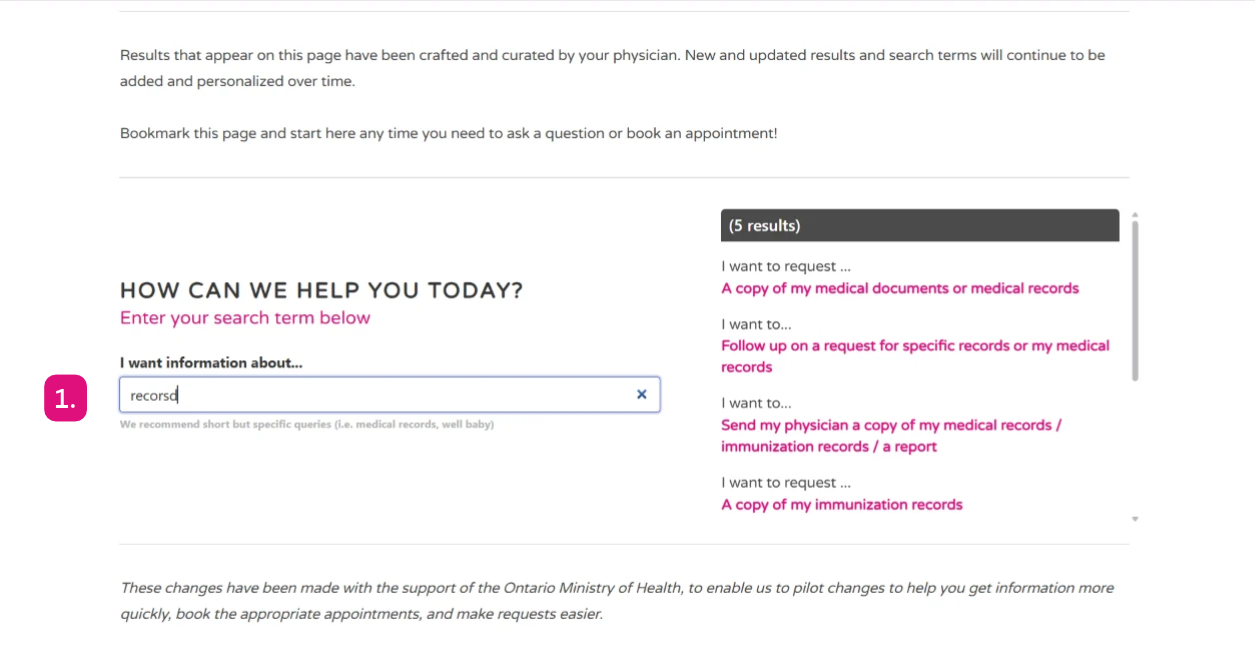
The DFD can still return relevant results even when your search term contains a typo, like “recorsd” instead of “records” (1).
The next steps are tailored to your specific request and your physician's preferences for handling different situations. This helps guide you toward the most appropriate option for your needs.
You don't need to know the exact name of a service or use specific medical terminology either. The search function is designed to help you find relevant results even if your search term isn't an exact match or includes a typo.
You'll also see a selection of common search suggestions beside the search bar. If you spot what you need, click on it to get started. Otherwise, enter your own search term to explore the available options.
If you want to see it in action, watch the quick walkthrough below to learn how to use your DFD.
WHAT CAN YOU FIND THROUGH THE DIGITAL FRONT DOOR?
The DFD is a convenient way to find information, get answers to common questions, and access a range of Magenta Health services. From booking an appointment to following up on a prescription or finding information about a specific service, there's plenty to explore.
Below, we've highlighted some common things you can search for.
-
If you're looking to book a routine appointment or need to be seen urgently, the DFD can help you find the right booking options and guidance.
Depending on what you need, you can search for:
Regular appointments
Urgent appointments
Other appointment types
For more information, read our online booking FAQ or learn how to book an urgent appointment at Magenta Health.
-
If you need a prescription renewal, want to check an existing request, or have questions about your medication, the DFD can help you find relevant information and explore the available options.
For more details, read our guide to renewing a prescription at Magenta Health.
-
You can search the DFD for information about different tests and services. You can also find out how to access and follow up on outstanding test results.
In our patient feedback survey, 54% of respondents weren't aware they could follow up on outstanding test results through their doctor's homepage, while 42% didn't know patients are responsible for closing the loop on all tests and results.
➤ Learn more about missing medical information and our approach at Magenta Health here.
For more guidance, read our guide to finding and accessing your test results.
-
The DFD makes it easier to find general clinic information, helpful resources, and answers to common health-related questions. For example, you can search for:
Clinic hours
Vaccines and immunizations
HPV testing and cervical screening
Other health information and services
These are just a few examples of what's available through the DFD. Try searching for a word or phrase related to what you need to explore the information and options available to you.
IF YOU NEED MORE HELP, WE'RE HERE!
We want the DFD to make accessing care easier, but that doesn't mean you're on your own if you can't find what you're looking for.
If you need additional assistance, have questions, or would prefer to speak with someone, our administrative team is available Monday to Friday to help.
For more information about getting in touch with our team, read our guide to contacting Magenta Health.
BETTER CARE, ONE IMPROVEMENT AT A TIME
Whether you're booking an appointment, locating test results, or looking for information about a specific service, the Digital Front Door is a great place to start.
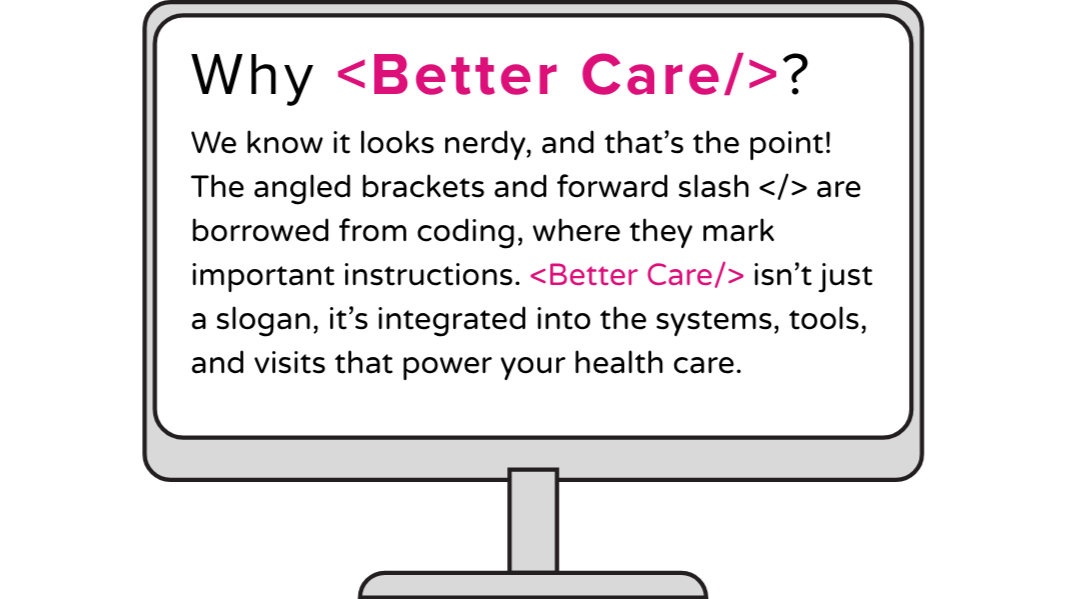
Bookmark the page and return to it whenever you need information or want to access services. We're continually adding new information, expanding search options, and improving the DFD as part of our <Better Care/> campaign.
These updates support our broader work to make healthcare easier to access and navigate, improve the experience for patients and physicians, and contribute to a better system Canada-wide.
Behind the scenes, we're also working to improve our EMR and the tools, technology, and processes that support your care. Learn more about those updates here.
We're excited to keep building on this work and finding new ways to support our patients. Thank you for being part of Magenta Health!