

Credit: Bermix Studio
If you're running low on medication and need a prescription renewal, you can request one through Magenta Health in a few different ways.
Our recent patient surveys showed that 54% of respondents didn't know their physician usually wants to see them before renewing a prescription, so we want to make the process a little clearer as part of our <Better Care/> campaign.
In some situations, you may be able to request a prescription renewal without an appointment. This depends on your medication, health history, how many refills your physician has authorized, your physician's renewal policies, and whether there are any concerns to be discussed.
Below, we'll walk you through how to request a prescription renewal, when you may need an appointment, and what to do if you need your medication renewed urgently.
BEFORE YOU REQUEST A RENEWAL
When your physician prescribes a medication, they decide how many refills are appropriate and when they need to see you again to assess your health and medication needs. Once you've used all of your authorized refills, it's typically best to book an appointment with your physician.
➤ If a Magenta Health physician did not originally prescribe your prescription, you'll need to book an appointment for a renewal.
For urgent prescription renewals, book an appointment instead of submitting an electronic request. Electronic renewal requests may take several business days to review and process, so this is the best option if you need to be seen sooner.
Please note that prescription renewals requested without an appointment are not covered by OHIP and may incur a fee. For more information about potential charges, you can review our Prescription Renewal Fees page.
HOW TO REQUEST A PRESCRIPTION RENEWAL
If you'd like to request a prescription renewal, you can get started on your physician's booking page.
For a video walkthrough, watch the tutorial below. Otherwise, keep reading for a step-by-step guide with text and images!
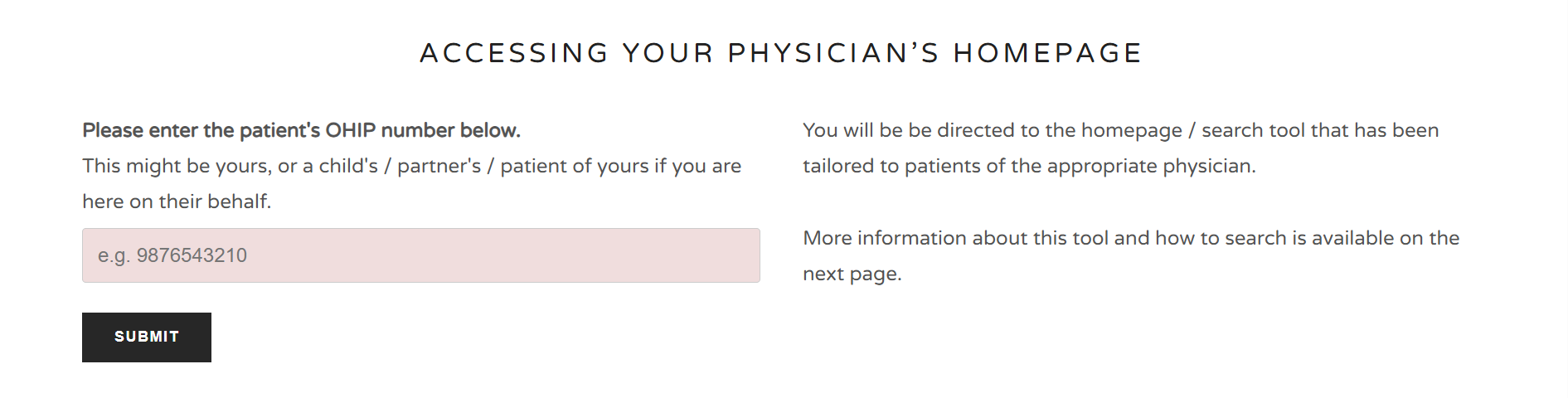
1. Go to your physician's homepage
Visit our online booking page and enter the patient's OHIP number.
If you're booking for someone else, such as a child or dependent, enter their OHIP number.
You'll then be directed to the homepage and booking tools specific to your physician.
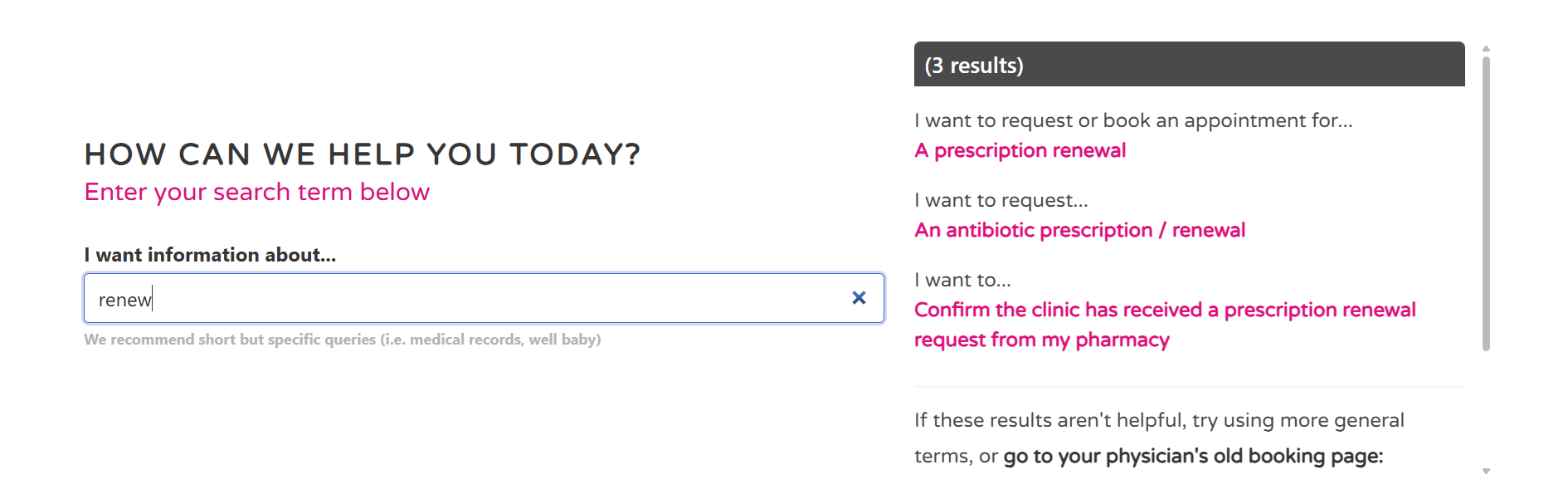
2. Search for “prescription renewal”
Under the common search results, you'll see:
“I want to request or book an appointment for… A prescription renewal”
You can also type “renew” into the search bar. This will bring up several options, including:
I want to request or book an appointment for… A prescription renewal
I want to request… An antibiotic prescription/renewal
I want to… Confirm the clinic has received a prescription renewal request from my pharmacy
Select “I want to request or book an appointment for… A prescription renewal”.
➤ For antibiotic prescriptions or renewals, you'll need to book an appointment.
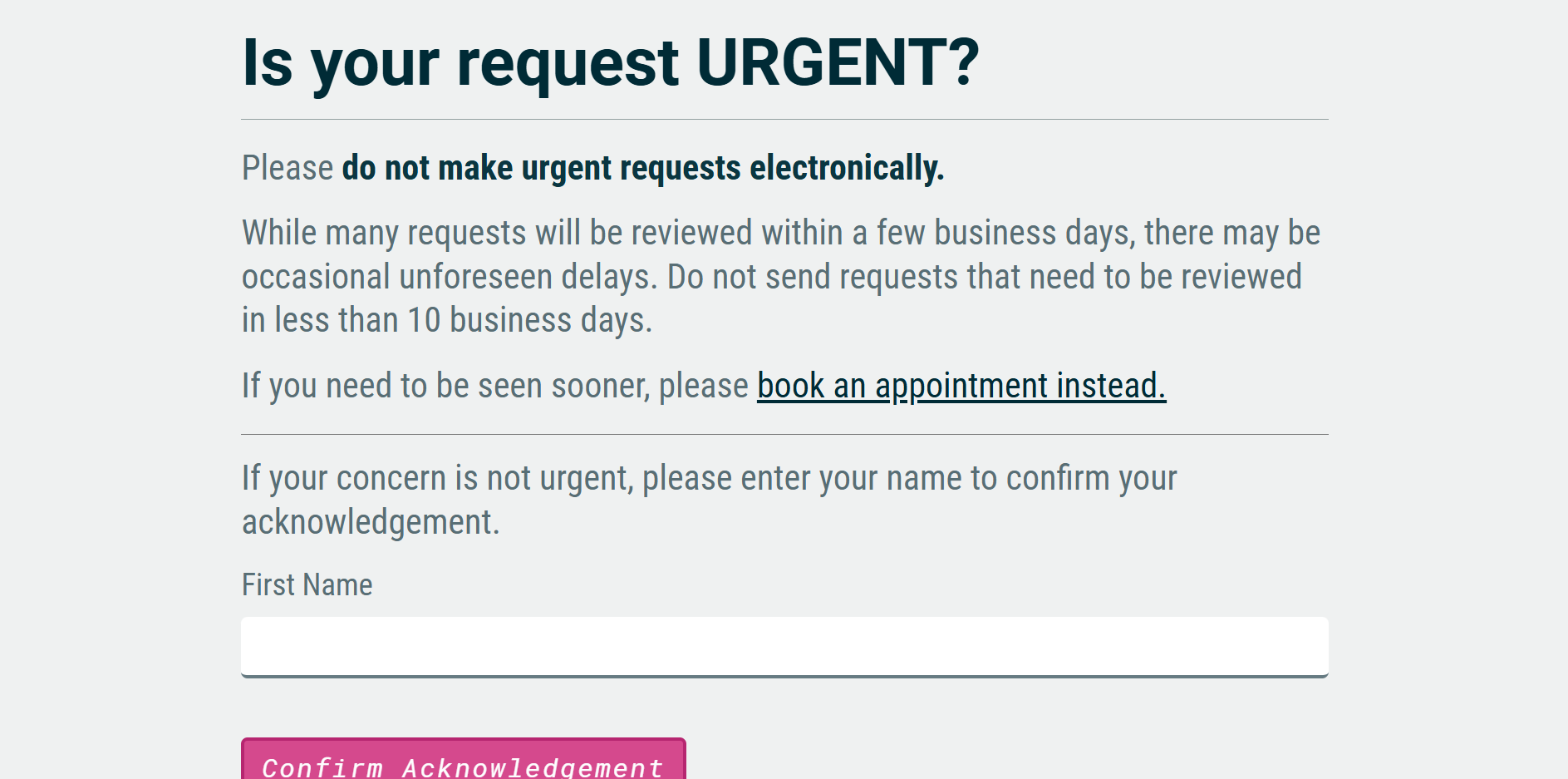
3. Confirm that your request isn't urgent
Before continuing, you'll see a message asking you to confirm that your request isn't urgent.
Electronic prescription renewal requests can take several business days to review and process. If you need your prescription renewed urgently, please book an appointment instead.
If your request isn't urgent, confirm that you understand and acknowledge the message to continue.
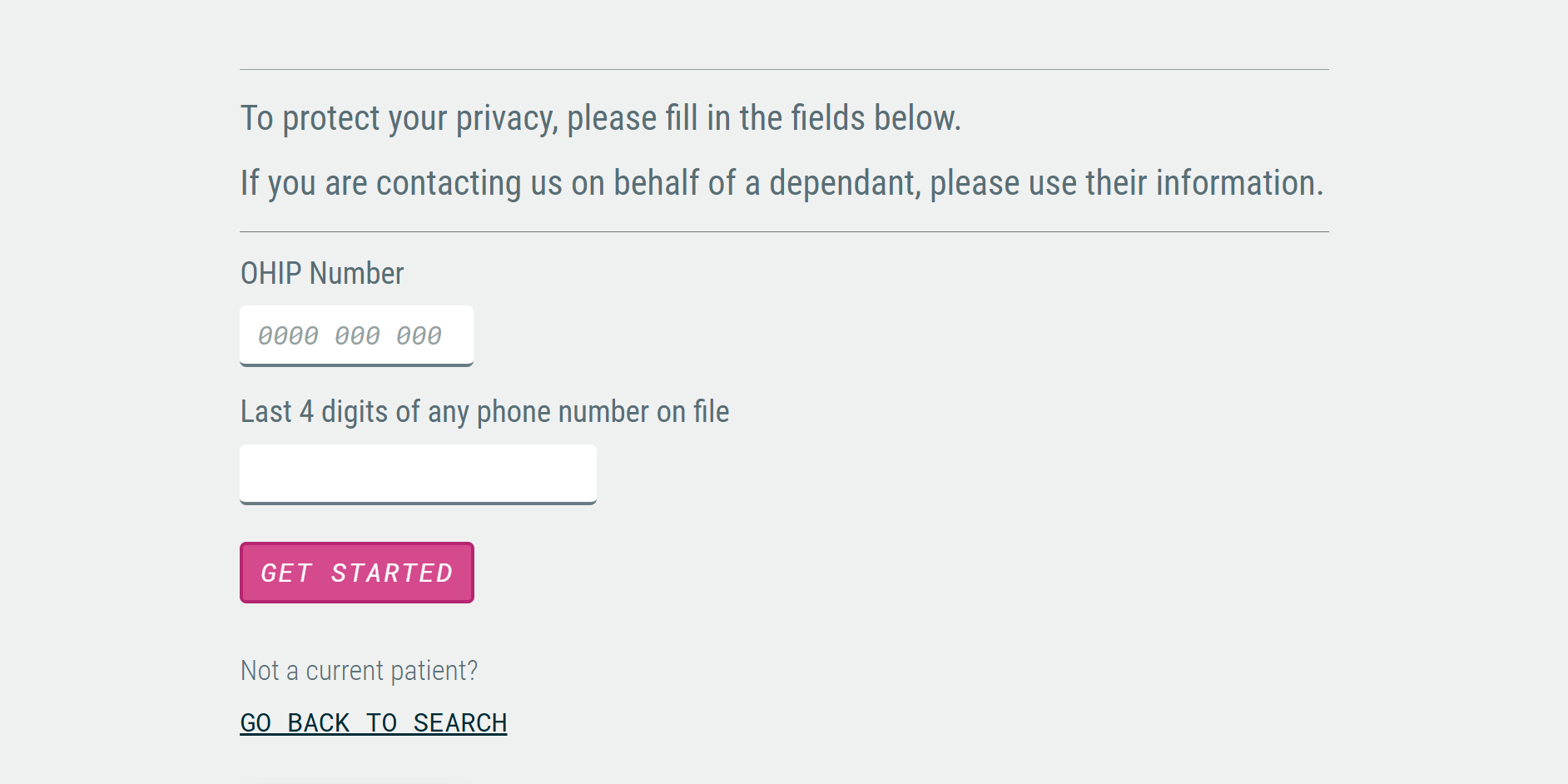
4. Enter your information
To help protect your privacy, you'll be asked to provide some information to confirm your identity.
Enter:
Your OHIP number
The last four digits of any phone number on file
Then select “Get Started”.
If you're submitting the request on behalf of a dependent, use the dependent's information.
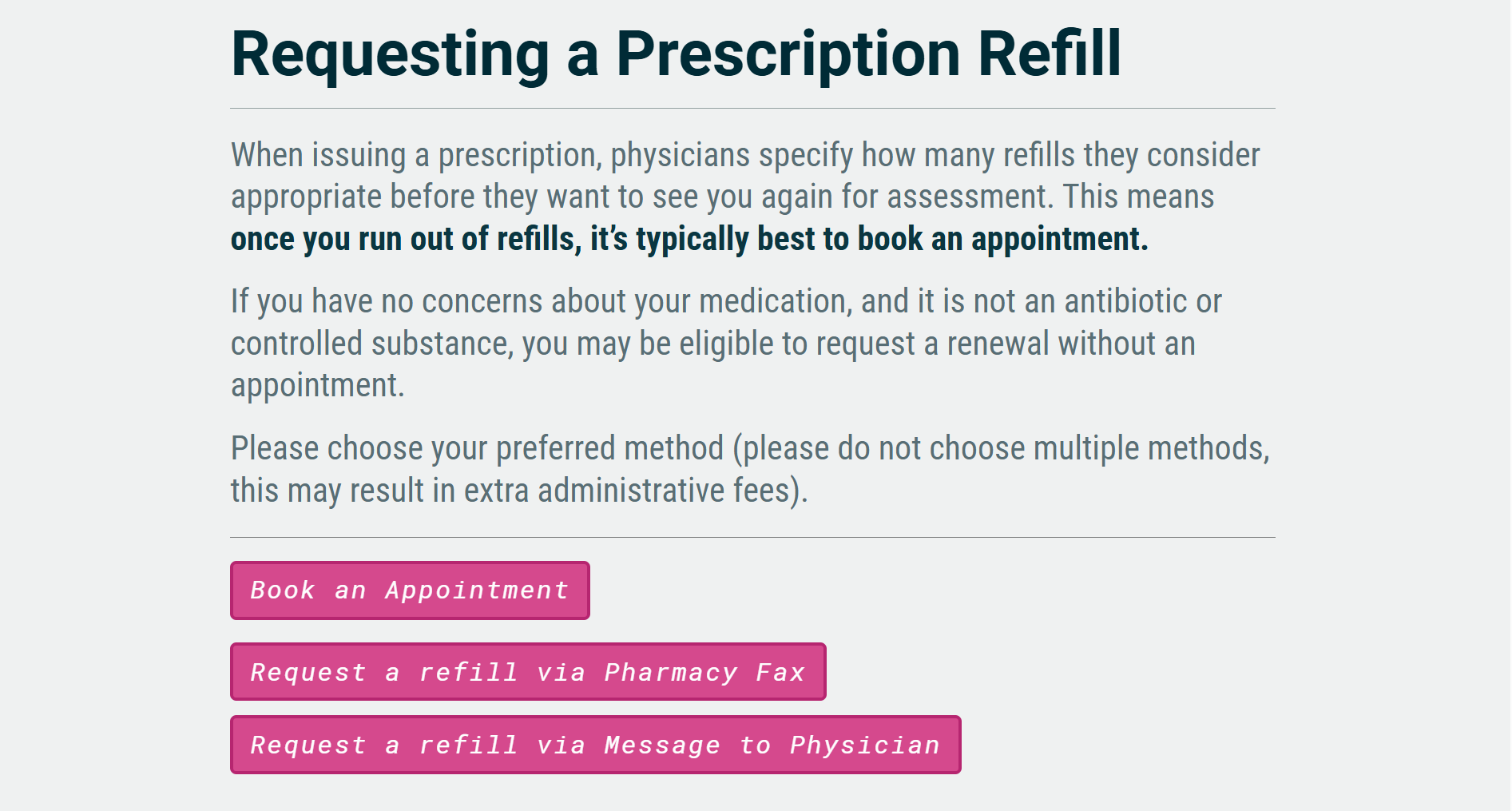
5. Choose how you'd like to request your renewal
You'll be asked to choose your preferred method for requesting a renewal. Please choose only one method, as selecting multiple options can result in additional administrative fees.
Depending on your physician and your situation, you may see some or all of the following options:
Book an appointment
Request a refill via Pharmacy Fax
Request a refill via Message to Physician
Follow your physician's instructions when choosing a renewal option. If you've been told to book an appointment, choose the appointment option. If you've been told you can request a renewal without an appointment, you can use one of the electronic renewal options.
➤ Not all physicians offer the Message to Physician option, so you may not see that option when requesting a renewal.
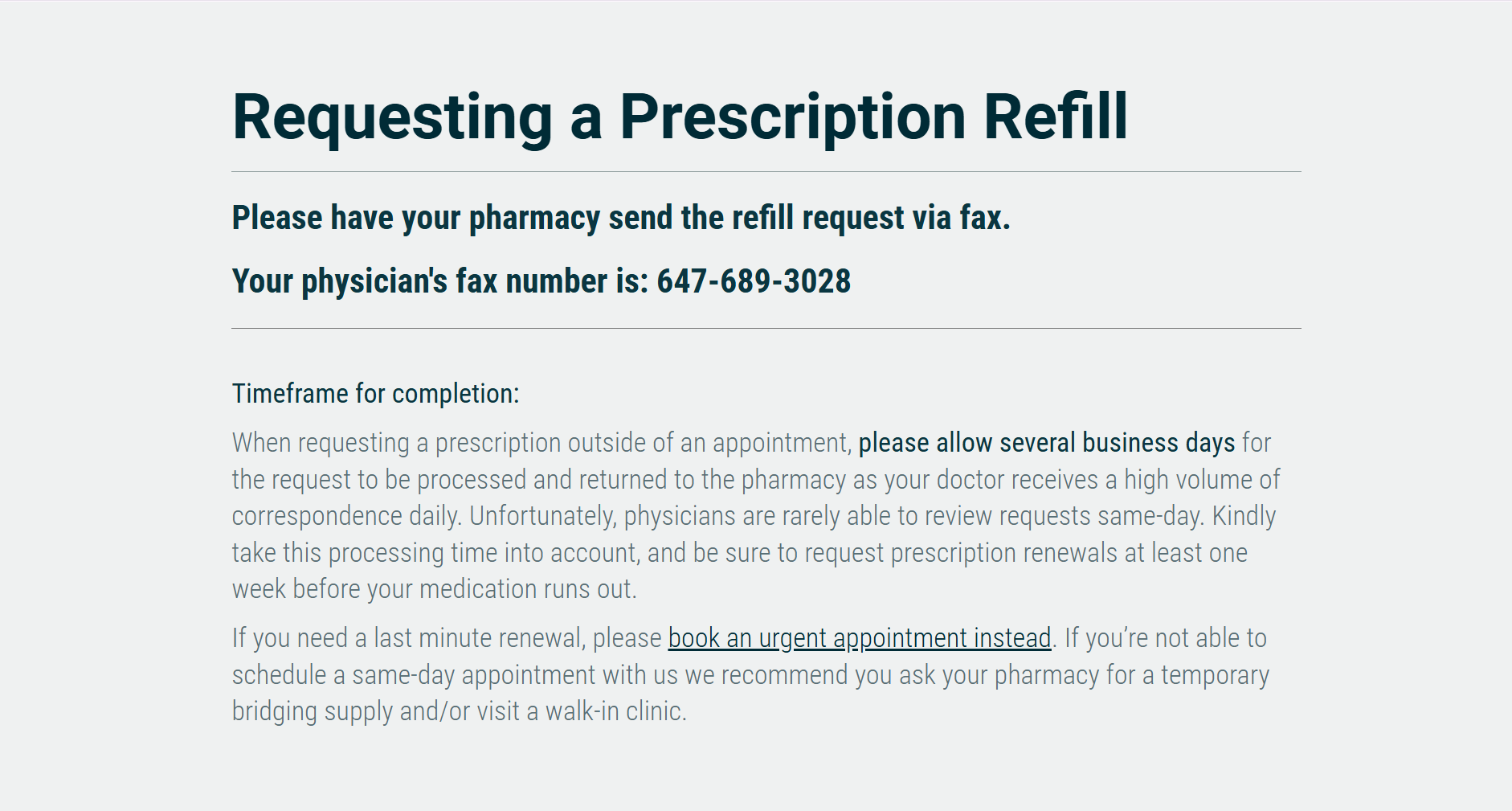
6. Request a refill via pharmacy fax
If you choose “Request a refill via Pharmacy Fax”, your pharmacy should send the refill request directly to your physician by fax.
You can find your physician's current fax number on our physician fax numbers page.
Please allow several business days for the fax to be processed and returned to your pharmacy, as physicians can rarely review prescription renewal requests the same day.
We recommend requesting your renewal at least one week before your medication runs out.
If you need a last-minute renewal, please book an urgent appointment instead. For step-by-step instructions on booking an urgent appointment, you can review our guide here.
➤ If you're unable to schedule a same-day appointment with us, you can ask your pharmacy whether they can provide a temporary bridging supply.
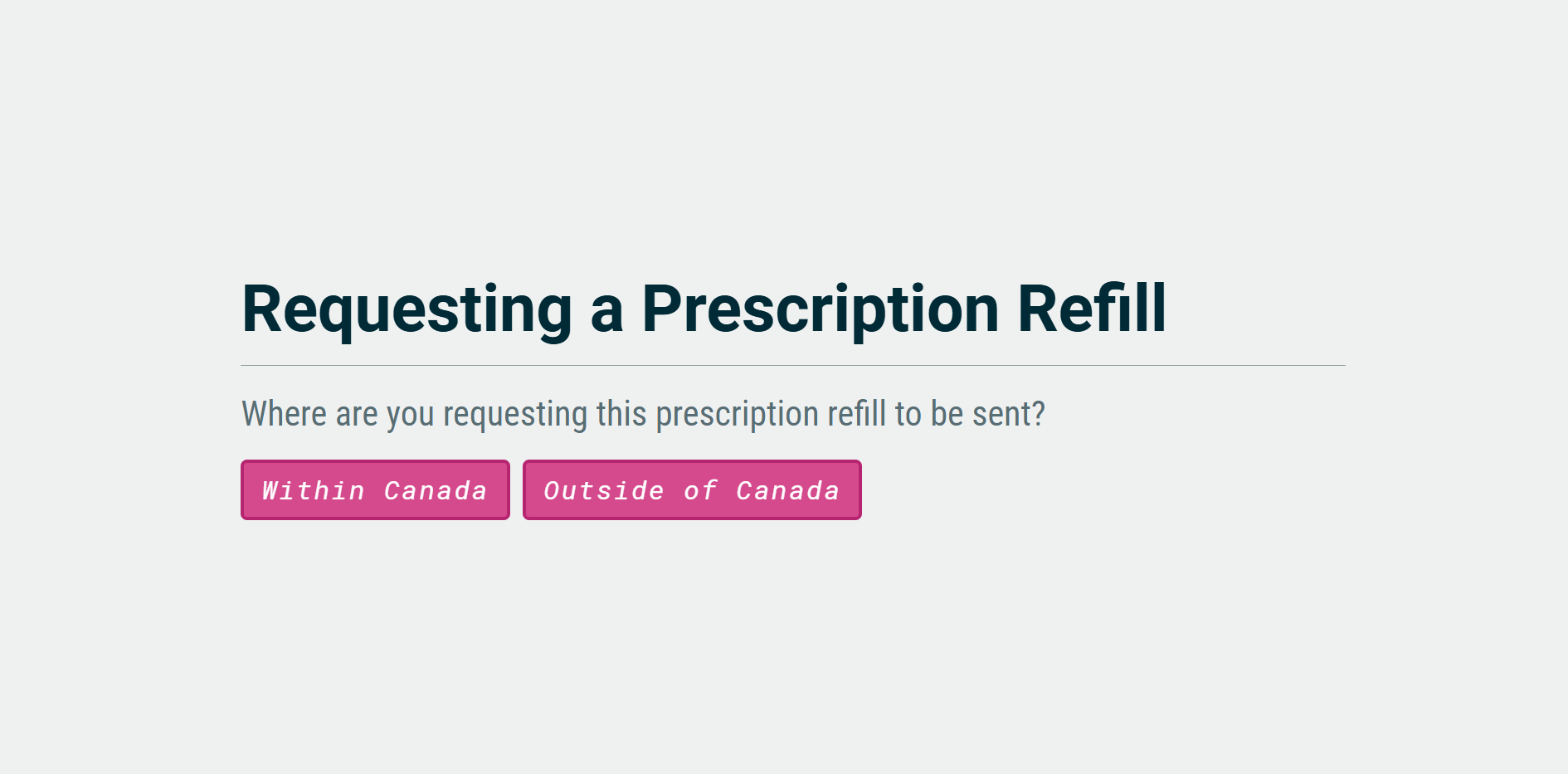
7. If available, request a refill via message to your physician
If this option is available to you, you can choose “Request a refill via Message to Physician”.
You'll first be asked where you need the prescription sent:
Within Canada
Outside of Canada
If you need a prescription sent outside of Canada, Canadian physicians unfortunately cannot refill medications in another country. You'll need to visit a local clinic instead.
For prescriptions sent within Canada, you'll be asked to answer a series of questions about your request.
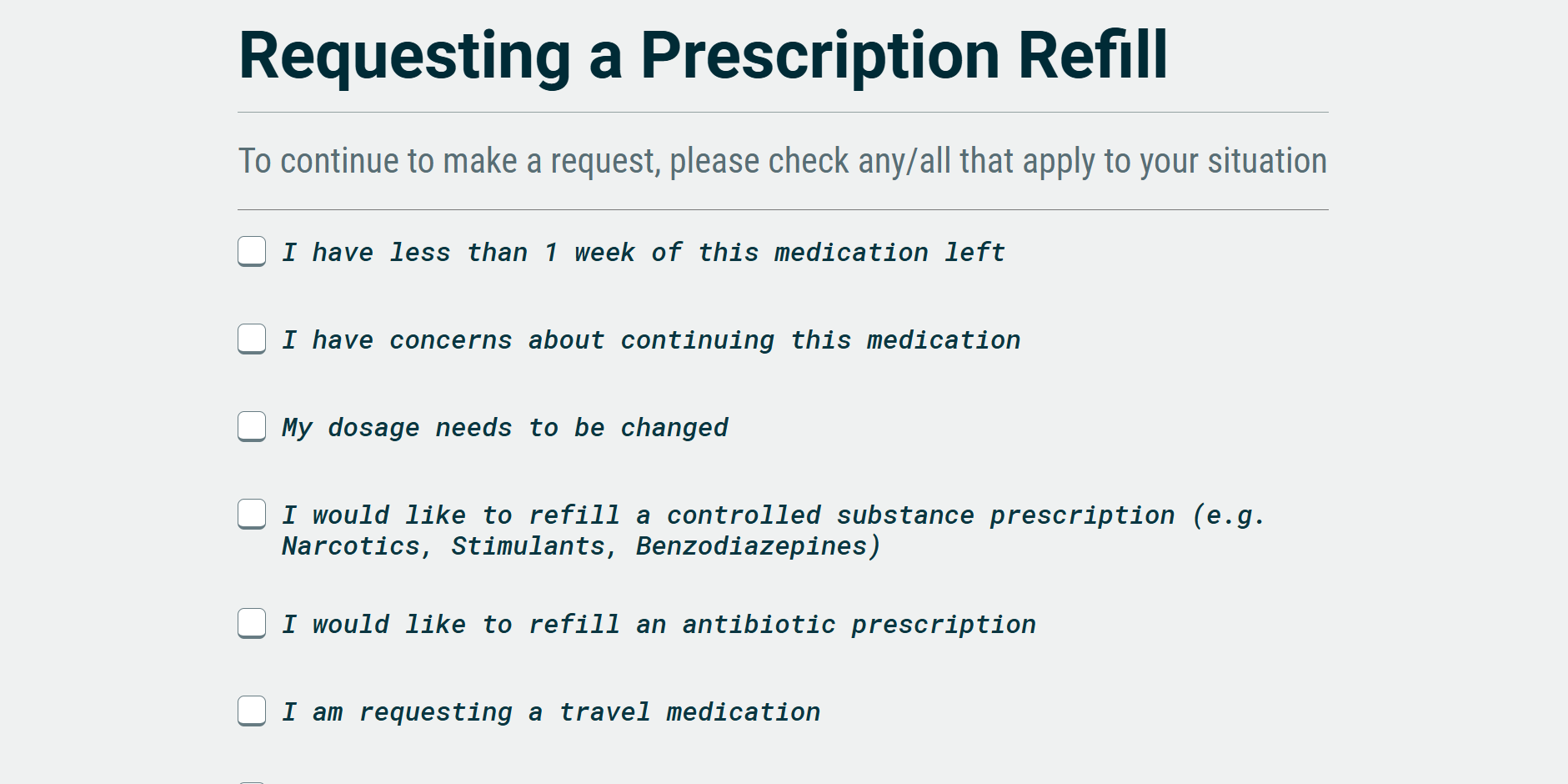
8. Answer questions about your medication
You'll be asked to indicate whether any of the listed situations apply to your request. For example, you may be asked if:
You have less than one week of medication remaining
You have concerns about your medication
You want to change your dosage
Another issue applies to your prescription
If any of these situations apply, you may be directed to book an appointment instead of submitting an electronic renewal request.
If none of the listed situations apply, you can continue with your prescription renewal request.
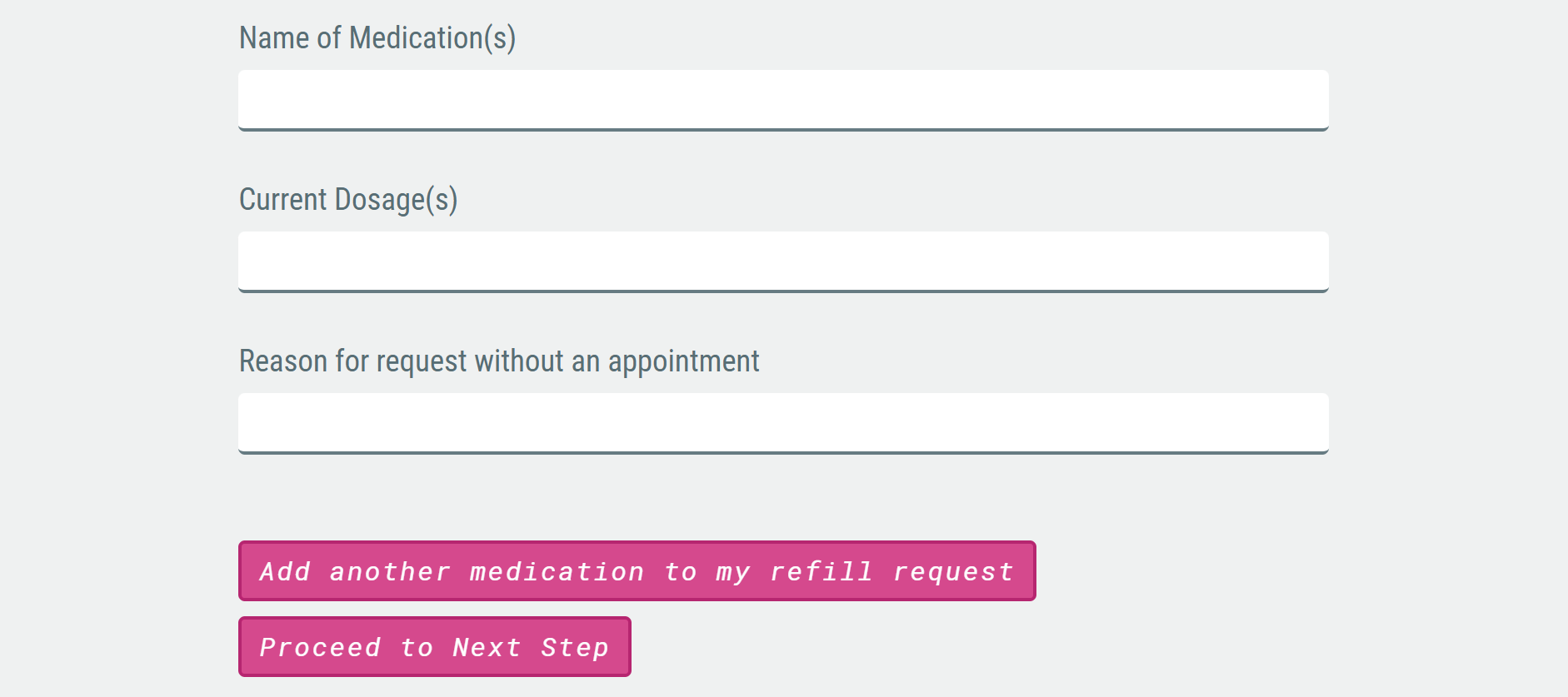
9. Enter your medication details
Next, provide the information needed for your prescription renewal, including:
Medication name
Dosage
Reason for requesting the renewal
You can request a renewal for one medication or add additional medications to the same request. You can add up to five medications by selecting “Add another medication to my refill request”.
Once you've entered all the required information, select “Next Step”.
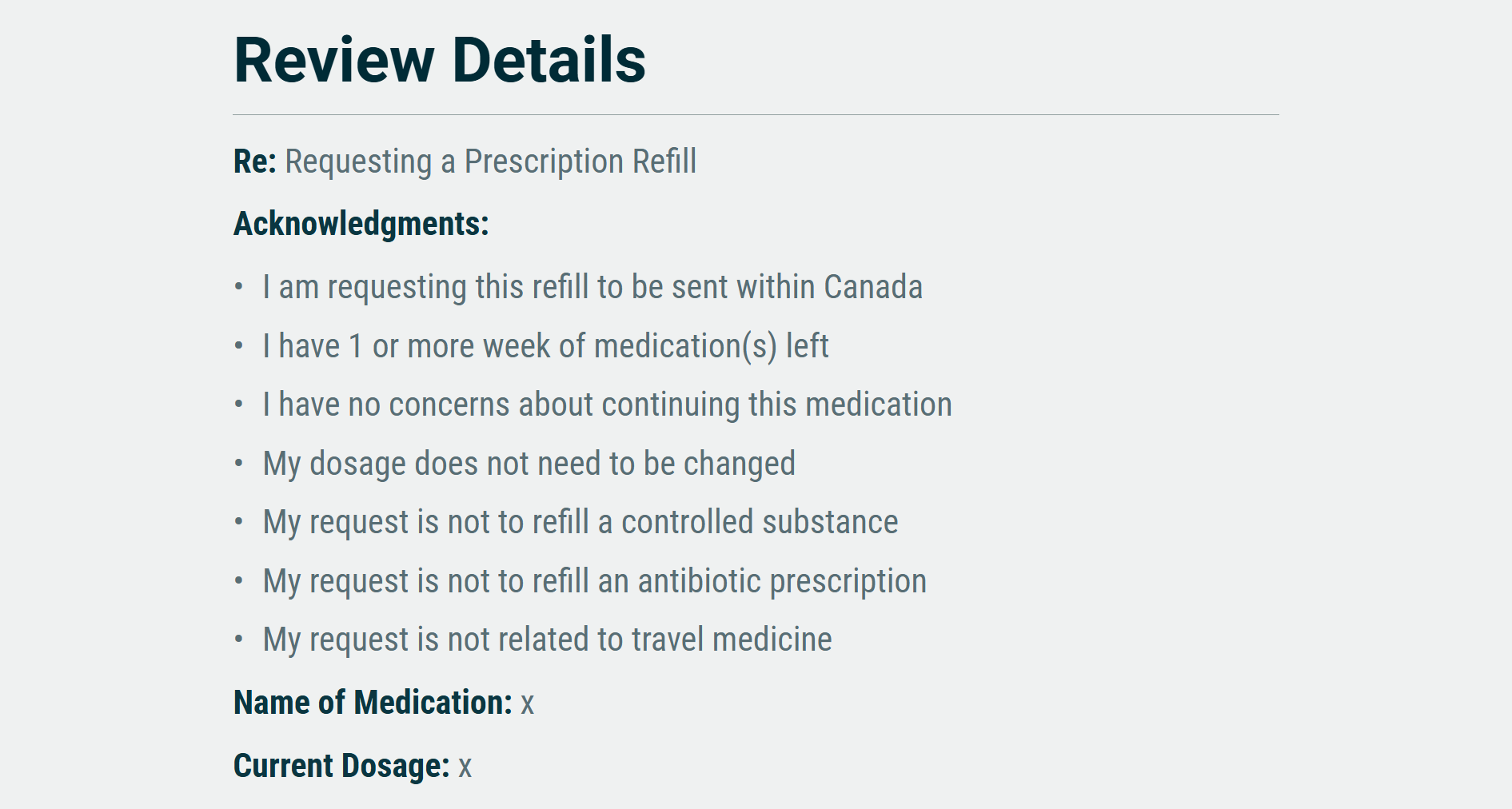
10. Review and send your request
Before submitting your request, you can review the information you've entered.
Make sure the details are correct, then select “Confirm & Send”.
Your prescription renewal request has now been submitted.
HOW LONG WILL A PRESCRIPTION RENEWAL TAKE?
Please allow several business days for prescription renewal requests to be processed and returned to your pharmacy.
Physicians receive a high volume of messages and are rarely able to review prescription requests the same day. To avoid running out of medication, please request your renewal at least one week before your medication runs out.
If you need a last-minute renewal, book an urgent appointment instead. If you aren't able to schedule a same-day appointment with us, ask your pharmacy whether they can provide a temporary bridging supply.
WHAT IF YOU NEED TO CHANGE YOUR PHARMACY?

Credit: Cheung Yin
If you'd like to update the preferred pharmacy we have on file for future prescriptions, you can fill out our preferred pharmacy form.
Please allow 1–3 business days for your preferred pharmacy information to be updated.
If you've already booked a same-day appointment for a prescription renewal and want the prescription sent to a different pharmacy, please let your physician know during your appointment.
If your prescription has already been faxed to another pharmacy, you'll need to contact that pharmacy directly. They can arrange to have the prescription transferred to your pharmacy of choice.
A QUICK REMINDER
Your physician will usually want to see you before renewing a prescription, so if you've used all of your authorized refills, booking an appointment is typically the best place to start.
For more information about prescription renewals, including how to confirm we received your fax, how you'll know we've sent a prescription to your pharmacy, and how to update your preferred pharmacy, you can visit our Prescription Renewals page.
You can also review our Prescription Renewal Fees page to learn more about potential costs.
We hope this guide has made the prescription renewal process a little clearer and helps you know what to expect when requesting a renewal through Magenta Health.