
Why Am I Asked to Enter My OHIP Number More Than Once?
At Magenta Health, protecting your personal health information is a top priority. You may notice that you’re asked to enter your OHIP number multiple times when accessing services online. This is intentional and designed to keep your information secure.
You may be prompted to enter your OHIP number in three separate situations. Below is an explanation of when and why this happens — and what you can do to minimize it.
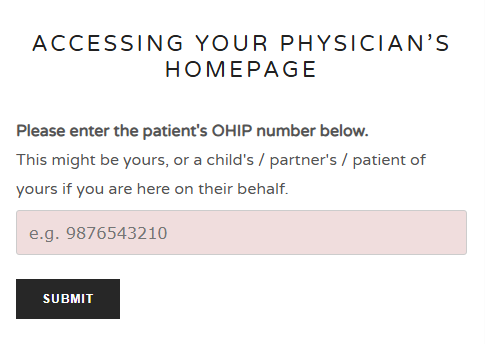
Accessing Your Physician’s Homepage
When accessing your doctor’s homepage on the Magenta Health website, you may be asked to enter your OHIP number to confirm your identity, and direct you to the proper physician’s homepage.
How to reduce this step:
You can bookmark your physician’s homepage after accessing it. This acts like staying “signed in” as a patient and can eliminate the need to re-enter your OHIP each time you visit that page.
Please only bookmark the page on a personal device. If multiple patients with different physicians are using your device, consider multiple bookmarks.
Completing an Online Form
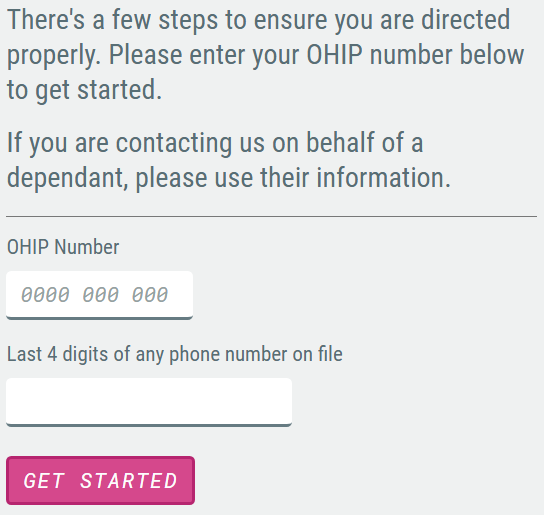
Some forms on our website require you to enter your OHIP number again.
Why this is required:
Magenta Health has chosen to structure its website using individual physician homepages to better organize communication and care delivery. You can read more about this approach here.
Certain pages require re-entry of your OHIP number for privacy reasons. Magenta Health does not store your personal health information in a way that could be accessed by others browsing the site, this includes your OHIP number. Re-entering your OHIP ensures that:
Your identity is verified each time
Your health information is not automatically stored or exposed
Your privacy remains protected
Booking an Appointment
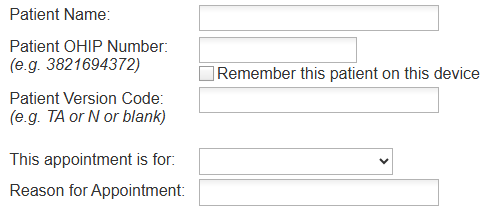
When booking an appointment through our scheduling vendor, Veribook, you’ll be asked to enter your OHIP number again.
Why this is required:
Magenta Health does not store your OHIP number, and as such does not pass it to Veribook automatically. This separation protects your personal information by ensuring it is not available to be exposed.
How to reduce this step:
Under the “Patient OHIP Number” field in Veribook, you can select: “Remember this Patient on this device”. If selected, your device will remember your OHIP number for future bookings on that device. Please only select this option if you are using a device not accessed by the public.
Why It Can’t Be Eliminated Entirely
Both Magenta Health and Veribook require your OHIP number to confirm your identity and ensure accurate communication and patient identity verification.
While this may feel repetitive, it is done to:
Protect your personal health information
Prevent unauthorized access
Avoid storing sensitive data in unsecured ways
Maintain compliance with healthcare privacy standards
We are thankful for your understanding and patience when re-entering your OHIP number.